What Is Customer Relationship Management? A Complete Beginner’s Guide
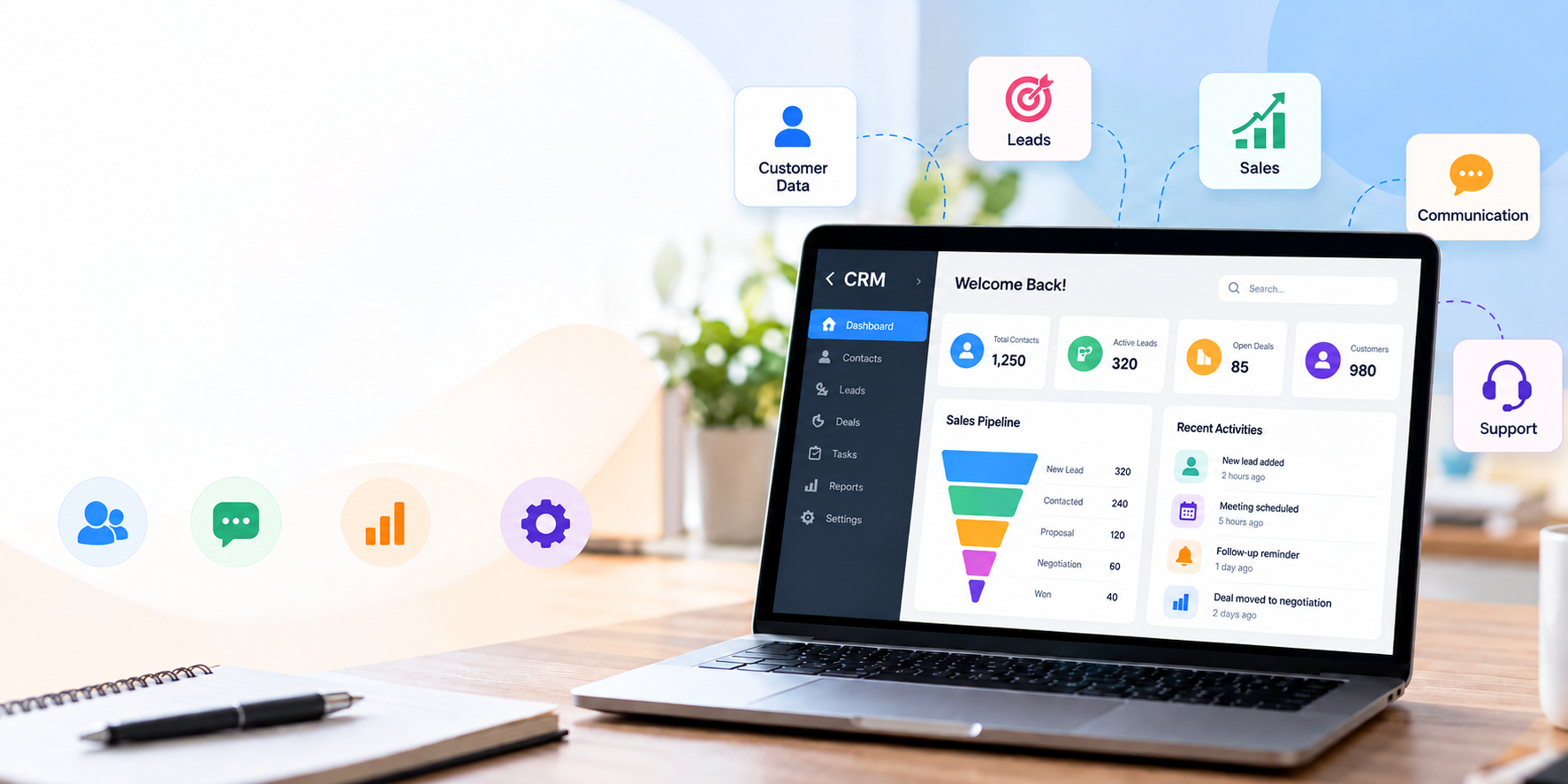
Customer relationship management (CRM) is the process businesses use to manage relationships and interactions with current and potential customers. If you run a business, you probably interact with customers every day through calls, emails, messages, meetings, website inquiries, purchases, and support requests. As the number of customers grows, keeping track of all these interactions can become difficult.
A CRM system can help businesses organize customer information, track interactions and follow-ups, manage leads, and maintain a clearer view of the customer journey.
Customer relationship management can refer to both the overall strategy a business uses to manage customer relationships and the software that helps put that strategy into practice.
In this guide, we’ll explain what customer relationship management means, how it works, its benefits, different types of CRM, and how to decide whether a CRM system is right for your business.
What Is Customer Relationship Management?
Customer relationship management, commonly abbreviated as CRM, is a strategy and process for managing relationships with customers and potential customers.
The term also commonly refers to the software used to organize customer information and interactions.
In simple terms:
Customer relationship management means keeping track of your customers, understanding their needs, managing your interactions with them, and making sure important follow-ups do not get missed.
A CRM system can bring information such as contact details, communication history, purchases, sales opportunities, and service interactions into one organized place.
The Goal of Customer Relationship Management
The main goal isn’t simply to store customer names and phone numbers.
A good customer relationship management process helps a business:
- Understand customers better
- Keep customer information organized
- Track conversations and interactions
- Follow up with leads and customers
- Manage sales opportunities
- Provide more consistent customer service
- Build long-term customer relationships
- Make better decisions using customer information
For example, imagine a small service business with 20 customers.
Without a structured system, customer information might be spread across:
- Excel files
- Phone contacts
- WhatsApp conversations
- Email inboxes
- Paper notes
- Individual employees’ memory
A CRM can bring much of this information into a centralized customer record, making it easier to find and use.
Example: A customer named Rahul contacts a business about a service. The business can record Rahul’s contact details, inquiry, previous interactions, follow-up date, and eventual purchase in one customer record.
Instead of asking, “What happened the last time we spoke to Rahul?”, the team can check the customer’s history.
Why Is Customer Relationship Management Important?
Customer information often becomes harder to manage as a business grows. At first, a spreadsheet or simple contact list may be enough for a small number of customers. However, as the number of customers, leads, employees, and interactions increases, keeping everything up to date becomes more difficult. As a result, CRM systems can provide a central view of customer information across sales, marketing, and service.
Better Organization of Customer Information
A CRM can provide a central location for customer records.
Instead of searching through multiple files, employees can find information from a structured customer profile.
Depending on the CRM, a record may contain:
- Customer name
- Phone number
- Email address
- Company
- Previous interactions
- Purchases
- Notes
- Lead status
- Follow-up tasks
Improved Communication
When customer history is available to the appropriate team members, conversations can become more informed.
For example, if a customer contacts a company about an existing order, the employee can check the customer’s previous interactions instead of asking the customer to explain everything again.
Easier Follow-Ups
One of the most practical uses of CRM is tracking what needs to happen next.
A salesperson might have:
- 10 new leads
- 5 customers waiting for a callback
- 3 quotations to follow up on
- 2 meetings scheduled
Without a structured system, some tasks can easily be forgotten.
A CRM can help organize these activities through tasks, reminders, and follow-up dates.
Better Lead Management
CRM software can help businesses track potential customers as they move through different stages.
For example:
New Lead → Contacted → Qualified → Proposal → Negotiation → Customer
This gives teams a clearer picture of where potential customers currently stand.
Better Customer Retention
Customer relationship management isn’t only about acquiring new customers.
Keeping existing customers engaged is also important.
By maintaining customer history and preferences, businesses can provide more relevant communication and identify opportunities to serve existing customers.
Less Scattered Information
When customer information is spread across multiple systems, employees may not have the same understanding of a customer.
A centralized CRM can help create a shared view of customer information for authorized team members.
Example: Managing 20 Customers Manually vs. With a CRM
Imagine a small business has 20 customers.
With a manual approach, the owner might maintain:
| Information | Where it might be stored |
|---|---|
| Customer phone number | Phone contacts |
| Inquiry | |
| Purchase information | Excel |
| Follow-up date | Calendar |
| Customer notes | Notebook |
| Email communication | Email inbox |
Now imagine all 20 customers generating similar information.
Finding one specific customer’s complete history can take time.
A CRM brings the relevant information into a structured system, reducing the need to search through multiple places.
How Does Customer Relationship Management Work?
Customer relationship management generally follows the customer journey.
A business collects customer information, organizes it, records interactions, tracks opportunities, and uses that information to decide what should happen next.
Collecting Customer Information
The first step is collecting relevant information about customers and prospects.
Depending on the business, this can include:
- Name
- Phone number
- Email address
- Company
- Location
- Inquiry details
- Purchase history
- Service history
- Communication history
- Customer preferences
Modern CRM systems can collect information from multiple channels and bring it together into a unified customer view.
The key is to collect useful information, not everything possible.
Organizing Customer Data
Simply collecting data isn’t enough.
It needs to be organized so employees can quickly find and understand it.
A CRM may provide:
- Customer profiles
- Search
- Filters
- Tags
- Categories
- Customer segments
- Lead stages
- Activity timelines
For example, a business could filter customers based on:
Customer type → Location → Purchase status → Follow-up required
This can make customer management much easier than searching through separate spreadsheets.
Managing Customer Interactions
Customer relationships involve many different interactions.
These can include:
- Phone calls
- Emails
- Messages
- Meetings
- Website inquiries
- Purchases
- Support requests
- Follow-ups
A CRM can record relevant interactions so employees have more context when communicating with customers.
For example, if a customer previously contacted support about an issue, the next employee handling that customer can review the available history before responding.
Tracking Leads and Follow-Ups
Lead management is another important part of CRM.
A potential customer might first submit an inquiry, then receive a call, request a quotation, and eventually become a customer.
A simple journey could look like this:
Website Inquiry → New Lead → First Contact → Follow-Up → Proposal → Purchase → Existing Customer
A CRM can help track the current stage and the next action.
Example:
A customer submits an inquiry for website development.
- The inquiry becomes a new lead.
- A sales representative contacts the customer.
- Requirements are recorded.
- A proposal is sent.
- A follow-up is scheduled.
- The customer approves the project.
- The lead becomes a customer.
This creates a structured customer journey rather than relying on memory.
CRM platforms can bring information from different customer interactions together, giving teams a more complete view of their relationships. Salesforce’s CRM guide provides another overview of how CRM systems are used across sales, service, and customer management.
Key Customer Relationship Management Components
Different CRM platforms offer different features, but several components are common across CRM systems.
Contact Management
Contact management involves maintaining customer and prospect information.
A contact record may include:
- Name
- Contact information
- Company
- Customer status
- Notes
- Previous interactions
- Purchase history
The purpose is to make customer information accessible and organized.
Lead Management
Lead management focuses on potential customers.
Businesses can track:
- Where the lead came from
- Lead status
- Communication
- Requirements
- Follow-up dates
- Conversion status
This helps teams understand which leads need attention.
Sales Management
Sales management helps businesses track opportunities through different stages.
For example:
New Opportunity → Qualified → Proposal → Negotiation → Won/Lost
Sales teams can use this information to understand what is currently happening with potential customers.
Communication Management
Businesses communicate with customers through many channels.
CRM systems can help organize information related to:
- Calls
- Emails
- Meetings
- Messages
- Notes
The exact communication features depend on the CRM platform and its integrations.
Customer Support
CRM systems can also support customer service.
A business may record:
- Customer issues
- Support requests
- Previous resolutions
- Service history
- Follow-up requirements
This gives support teams additional context when helping customers.
Reporting and Analytics
CRM reporting helps businesses understand customer and sales activity.
Common reports may include:
- Number of leads
- Conversion rates
- Sales pipeline
- Customer activity
- Follow-up status
- Sales performance
- Customer retention metrics
Analytics can turn customer data into information that helps teams identify patterns and make decisions.
What Are the Benefits of Customer Relationship Management?
A CRM isn’t valuable simply because it stores data. Its value comes from helping businesses use customer information more effectively.
Better Customer Organization
Customer information can be stored in structured records instead of scattered across different files.
This makes it easier to find important information when it is needed.
Improved Customer Communication
Employees can review relevant customer history before communicating with a customer.
This can make conversations more consistent and reduce the need for customers to repeat information.
Faster Follow-Ups
CRM systems can help teams track pending actions.
For example:
Customer: Priya
Requirement: Website redesign
Status: Proposal sent
Next action: Follow up
Date: Friday
This is much easier to manage than keeping the information in a notebook.
Better Lead Management
A CRM can show which leads are:
- New
- Contacted
- Qualified
- Waiting for response
- In negotiation
- Converted
- Lost
This gives sales teams a clearer view of their pipeline.
Improved Customer Retention
A well-maintained customer history can help businesses understand existing customers and provide more relevant service.
For example, a business may identify customers who haven’t purchased recently and decide whether a follow-up or service reminder is appropriate.
More Efficient Business Processes
CRM automation can reduce repetitive manual work in some workflows.
Depending on the system, businesses may automate tasks such as:
- Reminders
- Lead assignments
- Notifications
- Data updates
- Follow-up workflows
Better Visibility Into Customer Activity
A centralized CRM can give teams a clearer picture of customer activity.
Instead of looking at individual pieces of information, employees can view relevant customer details together.
Example: If a customer has contacted the business three times, requested a quotation, and is waiting for a follow-up, the team can see these activities together instead of searching through separate systems.
Key Takeaway
The biggest practical benefit of CRM is visibility.
When the right customer information is organized and accessible, teams can spend less time searching for information and more time acting on it.
Types of Customer Relationship Management
CRM systems are often discussed in three broad categories: operational, analytical, and collaborative CRM.
The categories can overlap in real-world CRM platforms.
Operational CRM
Operational CRM focuses on supporting everyday customer-facing processes.
This can include:
- Sales activities
- Marketing processes
- Customer service
- Lead management
- Workflow automation
For example, a business may use an operational CRM to capture a new lead, assign it to a salesperson, schedule a follow-up, and track the opportunity.
Analytical CRM
Analytical CRM focuses on using customer data to generate insights.
Businesses can analyze information such as:
- Customer behavior
- Sales performance
- Conversion rates
- Customer segments
- Purchase patterns
This can help businesses understand what is happening rather than relying entirely on assumptions.
Collaborative CRM
Collaborative CRM focuses on sharing customer information between teams and departments.
For example, sales may know what a customer purchased, while customer service knows about a previous support request.
Sharing appropriate information can help different teams work from a more consistent understanding of the customer.
Example: How the Three Types Can Work Together
Imagine a company selling software.
Operational CRM: captures leads and manages sales activities.
Analytical CRM: analyzes which customer segments convert most often.
Collaborative CRM: allows sales and customer service teams to share relevant customer information.
Together, these approaches can support the broader customer relationship management process.
Customer Relationship Management vs. Traditional Customer Management
Businesses have managed customers long before CRM software existed.
Spreadsheets, notebooks, email inboxes, phone contacts, and messaging apps can all be useful for certain tasks.
The question is whether these tools continue to work as the business grows.
Managing Customers With Spreadsheets
Spreadsheets can be a practical starting point.
Advantages
- Low cost
- Familiar to many people
- Easy to customize
- Useful for simple lists
- Good for small amounts of structured data
Limitations
As customer information becomes more complex, spreadsheets can become harder to maintain.
Common challenges include:
- Duplicate records
- Outdated information
- Manual updates
- Difficult collaboration
- Limited automation
- Difficult follow-up tracking
- Information spread across multiple files
A spreadsheet isn’t automatically a bad solution. The issue is whether it continues to meet the business’s requirements.
Managing Customers With a CRM System
A CRM is designed specifically around customer and relationship management.
Depending on the platform, it can provide:
- Centralized customer records
- Lead management
- Sales pipelines
- Follow-up tracking
- Tasks and reminders
- Communication history
- Reporting
- Automation
- Integrations
CRM platforms are generally designed to connect customer information across business processes rather than treating it as a simple table of data.
When Should a Business Move From Spreadsheets to CRM?
There isn’t one customer number that determines when a business needs CRM.
However, a CRM may become worth considering when:
- The customer base is growing
- The number of leads is increasing
- Multiple employees manage customers
- Follow-ups are frequently missed
- Customer information is duplicated
- Employees spend too much time searching for information
- Sales activities are difficult to track
- Management needs better reporting
Example:
A small business starts with an Excel file containing 50 customers.
Initially, this works well.
Over time, the business grows to hundreds of customers and several employees start handling them. Customer information now exists across multiple spreadsheets, WhatsApp conversations, and personal notes.
At this point, a CRM could provide a more structured way to manage the growing volume of information.
Customer Relationship Management for Different Businesses
CRM isn’t limited to large corporations.
Any organization that regularly manages relationships with customers or prospects can potentially benefit from structured customer relationship management. CRM systems are used across businesses of different sizes and can support functions including sales, marketing, service, and more.
Small Businesses
Small businesses can use CRM to organize customers, leads, inquiries, and follow-ups without relying entirely on manual processes.
Sales Teams
Sales teams can use CRM to track:
- Leads
- Opportunities
- Sales stages
- Meetings
- Follow-ups
- Customer interactions
Service-Based Businesses
Businesses providing services can maintain customer profiles and track requirements, appointments, projects, and follow-ups.
E-commerce Businesses
E-commerce businesses can use customer information to understand purchasing activity, customer communication, and support interactions.
Agencies and Freelancers
Agencies and freelancers often manage multiple clients simultaneously.
CRM can help organize:
- Client information
- Leads
- Proposals
- Meetings
- Follow-ups
- Project-related communication
Appointment-Based Businesses
Businesses such as consultants, training providers, clinics, salons, and other appointment-driven organizations can use CRM processes to organize customer information and follow-ups.
Real-World Examples
Example 1 — Marketing Agency:
A marketing agency can track leads, proposals, meetings, and client communication.
Example 2 — Service Business:
A home-maintenance company can maintain customer details, service history, and follow-up dates.
Example 3 — Consultant:
A consultant can track prospects from their first inquiry through consultation, proposal, and ongoing relationship.
How to Choose Customer Relationship Management Software
Choosing a CRM shouldn’t begin with asking, “Which CRM has the most features?”
Instead, start with:
What does my business actually need to manage?
Identify Your Business Requirements
Write down your current customer-management process.
For example:
- How do new leads arrive?
- Where is customer information stored?
- How are follow-ups tracked?
- How do employees communicate with customers?
- What information needs to be shared?
- What reports does management need?
This gives you a clear list of requirements before evaluating software.
Consider Essential Features
Depending on your business, you may need:
- Contact management
- Lead management
- Sales pipeline
- Tasks
- Reminders
- Communication tracking
- Reporting
- Customer support
- Mobile access
- Integrations
Don’t choose features simply because they sound useful. Choose features that solve actual business problems.
Check Ease of Use
A CRM can have hundreds of features and still fail if employees don’t use it.
Look for a system that employees can understand and use consistently.
Consider:
- User interface
- Navigation
- Setup process
- Training requirements
- Mobile experience
- Customization
Consider Scalability
Think about where your business will be in the next few years.
Consider:
- Number of customers
- Number of employees
- Number of users
- Data volume
- New business processes
- Additional integrations
The CRM should be able to grow with your requirements.
Review Integration Options
Businesses rarely use only one software system.
Your CRM may need to work with tools such as:
- Accounting software
- Websites
- Forms
- Marketing tools
- Communication platforms
- E-commerce systems
Check what integrations are available before making a decision.
Compare Pricing and Total Cost
Don’t look only at the advertised subscription price.
Consider:
- Number of users
- Setup costs
- Premium features
- Integration costs
- Data migration
- Training
- Support
- Future scaling costs
A cheaper CRM isn’t necessarily cheaper overall if it creates additional work or requires many paid add-ons.
Consider Data Security and Access Controls
Customer information should be handled responsibly.
When evaluating CRM software, consider:
- User permissions
- Authentication
- Data protection
- Backup policies
- Access controls
- Data export options
- Compliance requirements relevant to your business
- When evaluating CRM software, businesses should also consider how customer information is collected, stored, accessed, and protected. For general guidance on protecting personal information, the U.S. Federal Trade Commission’s business privacy guidance is a useful reference.
Simple CRM Evaluation Checklist
| Question | What to Check |
|---|---|
| Does it solve our main problem? | Core requirements |
| Is it easy to use? | User experience |
| Can it grow with us? | Scalability |
| Can it connect with our tools? | Integrations |
| Is pricing predictable? | Total cost |
| Can we control access? | Permissions |
| Can we access our data? | Export/data portability |
| Will employees actually use it? | Adoption |
Common CRM and Customer Management Mistakes to Avoid
Even the right CRM can fail if it is poorly implemented.
Collecting Too Much Unnecessary Data
More data isn’t always better.
Only collect information that has a clear purpose.
Too many unnecessary fields can make the system difficult to maintain.
Not Keeping Customer Information Updated
Outdated customer information reduces the usefulness of a CRM.
Businesses should establish simple processes for updating important information.
Failing to Follow Up
A CRM cannot solve a follow-up problem if nobody acts on the information.
Teams should clearly define:
- Who owns the follow-up
- When it should happen
- What action is required
- How completion is recorded
Choosing a System That Is Too Complex
A complicated CRM can create resistance.
Start with the workflows your business actually needs and expand gradually.
Not Training Employees
Employees need to understand not just how to use the system, but why accurate customer information matters.
Using CRM Only as a Contact Database
A CRM can be much more than a digital address book.
Depending on the system, it can support:
- Lead management
- Sales
- Customer service
- Follow-ups
- Reporting
- Automation
- Customer insights
The more important question is how the CRM supports the overall customer-management process.
Frequently Asked Questions About Customer Relationship Management
What is customer relationship management in simple words?
Customer relationship management is the process of managing a business’s relationships and interactions with current and potential customers. It can refer both to the overall business strategy and to the software businesses use to put that strategy into practice. You can also learn more about the concept in Microsoft’s CRM overview.
What is the main purpose of customer relationship management?
The main purpose is to help businesses manage customer relationships more effectively. CRM can bring customer information together, support communication, track opportunities and follow-ups, and help teams provide more consistent customer experiences.
What does a CRM system do?
A CRM system can store customer and prospect information, track interactions, manage leads and sales opportunities, record service information, and provide reporting. The exact capabilities depend on the CRM platform.
What is the difference between CRM and customer relationship management?
There is essentially no difference in the abbreviation.
CRM stands for customer relationship management.
The term can describe the broader strategy and processes used to manage customer relationships, while CRM software refers to the technology used to support those processes.
Is customer relationship management useful for small businesses?
Yes. Small businesses can use CRM to organize customer information, track leads, manage follow-ups, and maintain customer history. The appropriate CRM depends on the business’s size, workflow, budget, and requirements.
What information is stored in a CRM?
Depending on the system, a CRM may store:
- Names
- Phone numbers
- Email addresses
- Company information
- Lead status
- Communication history
- Purchase information
- Service history
- Notes
- Tasks
- Follow-up dates
Businesses should only collect information that is necessary and appropriate for their processes.
When should a business start using CRM software?
There is no universal customer or employee count that determines when a business needs CRM.
A business should consider CRM when customer information becomes difficult to organize, follow-ups are frequently missed, multiple people manage customers, or the existing process no longer provides enough visibility.
Is CRM only used by sales teams?
No.
CRM can support sales, marketing, customer service, management, and other customer-facing functions. Modern CRM systems can connect information across departments so teams can work with a more complete view of customer interactions.
Looking for Technology Solutions for Your Business?
Choosing the right customer management process is only one part of building an efficient business.
If you need help turning a business idea or workflow into technology, Gyanio provides website development, mobile app development, software development, digital solutions, technology consulting, and development resources.
Whether you’re planning a new business application, improving an existing workflow, or exploring a custom software solution, the right approach starts with understanding your actual requirements.
Need help with a technology project?
Visit Gyanio to discuss your requirements, explore development options, or connect with the team for a consultation.
Conclusion: Building Better Customer Relationships With CRM
Customer relationship management is ultimately about one simple idea: understanding and managing your relationships with customers more effectively.
It combines processes, people, customer information, and technology to help businesses manage interactions throughout the customer journey.
A CRM system can help businesses:
- Organize customer information
- Track leads and opportunities
- Manage customer interactions
- Schedule and track follow-ups
- Improve collaboration
- Understand customer activity
- Support customer retention
- Make better use of business data
But CRM isn’t about collecting as much information as possible or buying the most feature-rich software.
The right approach is to first understand how your business currently manages customers, identify where information or follow-ups are being lost, and then choose a process and technology that solves those problems.
If your current customer-management process is becoming difficult to maintain, that may be a good time to explore what a CRM system could do for your business.
Looking for a technology partner to turn your business requirements into a practical digital solution? Gyanio can help with software development, web and mobile applications, technology consulting, and other digital solutions.
Explore Gyanio and start a conversation about your next technology project.
Leave a Reply